|
Main/News >> News Archives > The week of August 17 (2008) (you
are here)
 Don't mess with the Logan! Don't mess with the Logan!

dwergs says ( 22 Aug 2008 ):
| |
On July 30th I uploaded this image to the Angus Logan Fan Club on Facebook and commented that I would put the sign into rotation on our front page as soon as the fan club reached 100 members.
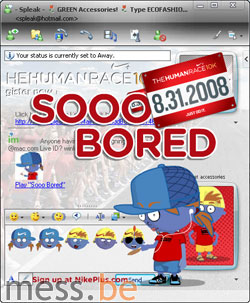
 In the meantime, the Don't mess with the Logan sign made a little web debut on the weekly Channel 9 show (see screenshot). In the meantime, the Don't mess with the Logan sign made a little web debut on the weekly Channel 9 show (see screenshot).
But today is the day that Angus officially has one hundred fans! So today, and for the next 30 days, The Logan will randomly appear above among other gods you don't want to mess with, such as Chuck Norris and Mr. T. Just hit refresh until you spot him!
Wait a minute, you don't know Angus? He's a Technical Product Manager for the Windows Live Platform. He's also Australian and a prolific blogger.
>> Join the Angus Logan Fan Club.
>> And while you're at it, join the Mess.be Fan Club. |
Add a Spleak, win some spending money
dwergs says ( 22 Aug 2008 ):
Released: Pidgin 2.5.0 with custom emoticons, offline messaging and more
dwergs says ( 21 Aug 2008 ):
| |
Those using their Windows Live ID(s) with third party IM client Pidgin are spoilt with the just released 2.5.0 version, because most of its changes and bug fixes revolve around MSN/Windows Live Messenger features. Here's our pick from the change log:
 - Ability to send custom emoticons to MSN/Windows Live Messenger contacts. - Ability to send custom emoticons to MSN/Windows Live Messenger contacts.
- Personal Status Messages now supported.
- Offline Messages now supported.
- Updated to MSN Protocol version 15.
- Aliasing is now supported server-side.
- Bots and web clients now distinguishable.
- Updated emoticon set for non-faces.
- Custom emoticons received in a chat no longer go to a new window.
- Failure to update a display picture when the buddy has gone offline no longer crashes the client.
- No more freezing after the servers block a message that contains (what Microsoft considers) inappropriate text.
>> Download Pidgin 2.5.0 (for Windows or UNIX).
|
Preview: new Messenger Billboard microsite
dwergs says ( 20 Aug 2008 ):
| |
One day before its official launch, Microsoft Belgium granted us a sneak preview of Messenger Billboard, a site that should become to Belgium what I Love Messenger is to France and Spain.
Whereas another Belgian microsite called StartMessenger offers information about the bare functionalities of Windows Live Messenger, the more lively looking Messenger Billboard puts various games, activities and theme packs (eg. Love Family) into the spotlights. The site also refers to the mobile Messenger clients offered by the three biggest mobile carriers in Belgium, as well as "expert" features like the Messenger IM Control (though first wrongly dubbed and pictured as I'M and now Web Messenger) and the Windows Live Messenger Facebook app.
Messenger Billboard was built by absoluut, the same people that created the Heroes, Love Family and Fun Family emoticon packs.

>> Check Messenger Billboard out yourself at MessengerBillboard.be (French and Dutch only). |
Preview yourself: Windows Live Video Messages
dwergs says ( 20 Aug 2008 ):
| |
A new Windows Live service called Windows Live Video Messages has surfaced. It's supposed to become available on September 9th but if you sign in here and then revisit the same URL you'll get access to the "Tech Preview".
The service allows you to record video messages (with your webcam) of up to two minutes each (total storage for video messages is 2 GB). You can add a title or note to each message and then share it with up to 7 recipients with either a Windows Live ID account or just any regular e-mail address. Those with a Windows Live ID can then save, reply or forward your message (if you allow them to). People without a Windows Live ID can only view the received video message once. Self-destructing video messages... how Mission Impossible!

Your Windows Live contacts and the groups they belong to are embedded in the Windows Live Video Messages portal where you can tag up to six of them as your favourite contacts. This "top six" will also appear in the free downloadable LifeCam Video Messages Gadget which offers direct access to the service from your Windows Sidebar (the 32-bit version only). The sidebar gadget can only be used with Microsoft's LifeCam range but the website supports any webcam.
Windows Live Video Messages requires:
- webcam (LifeCam for the gadget)
- broadband connection
- Internet Explorer 6.0 or higher
- Microsoft Silverlight 2 Beta 2
- Windows Live ID to create, reply, forward and save video messages.
- Windows XP with Service Pack 2 or higher
- Windows Media Player 10 or higher for Windows XP, Windows Media Player 11 for Windows Vista.
There's no sign whatsoever of integration into Windows Live Messenger at the moment. But it would be useful to see this merge with the Voice Clips feature in Windows Live Messenger adding video to the feature. Or maybe it could be turned into a Messenger activity? Of course, both employments would require the recipient to be online. A simple direct link to the web-based video message then, maybe?
>> Visit the Windows Live Video Messages Beta - Coming Soon page.
>> Download the LifeCam Video Messages Gadget.
>> Sign in here and then visit the same URL again for the tech preview.
[Reported by: Chris] |
More sporty goodies for Messenger
dwergs says ( 19 Aug 2008 ):
 Back to the News Archives
|


 every city and every road can become a race-day course. A reason to sign out of Windows Live Messenger and get a little exercise perhaps?


